
AI Project & Workflow Automation Agent
Turn project briefs into actionable delivery plans — AI plans, humans review, structured and editable.
Built by sanjay · Software Developer Intern
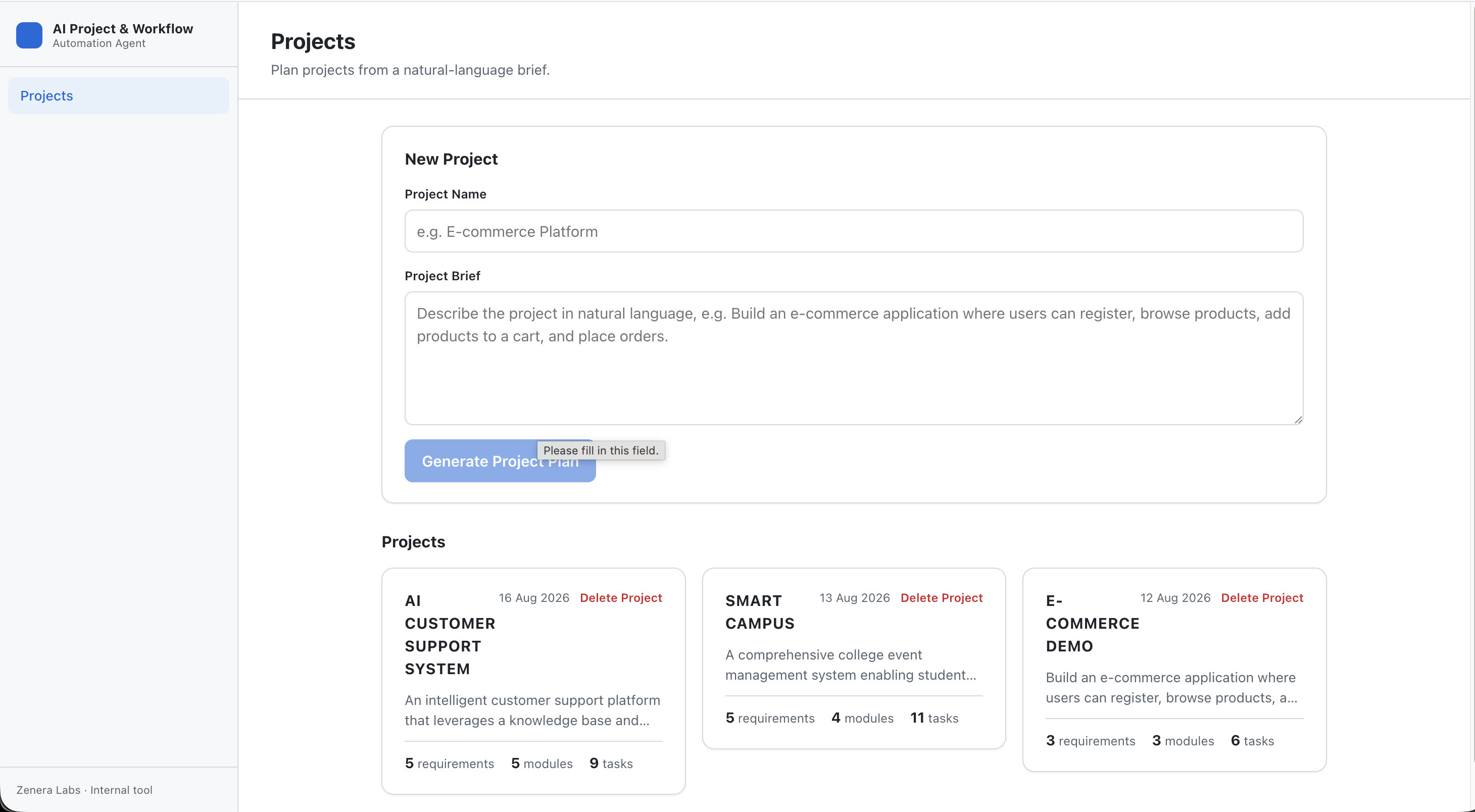
The system, up close
Real captures from the running system — the demo, screenshots and architecture come first, then the deep dive.
Demo
A walkthrough of the planning agent: paste a brief, generate a validated plan, review tasks in the dashboard and export to GitHub issues.
The demo shows the project home, plan generation, dashboard tabs and GitHub issue creation.
Screenshots
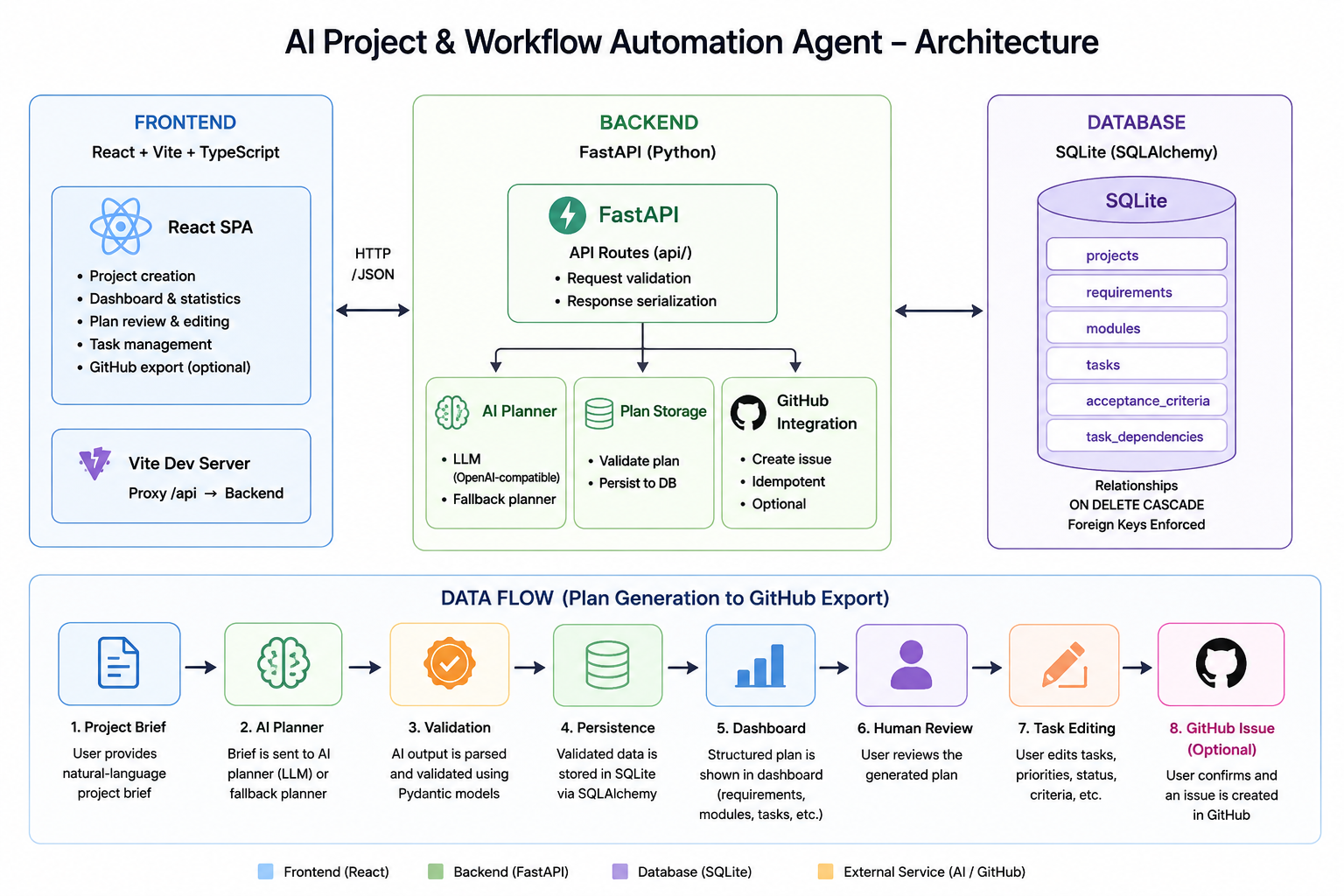
Architecture
Why this needed to be built
Project planning is typically manual and slow, and AI chat output is free-form text that is hard to review, track or act on.
The goal is to make AI plan rather than just chat: convert a brief into structured project data (never raw text), validate that data against strict schemas, persist it and put a human-review workflow in front of it — so AI assists with planning without blindly executing external actions.
What we built, and how it changes the workflow
An internal project-planning and workflow-automation application for Zenera Labs that turns a natural-language project brief into a structured, editable project plan using AI.
A user pastes a brief (for example an e-commerce build). The LLM planning assistant produces a validated, structured plan — project summary, requirements, modules, tasks with priorities and statuses, acceptance criteria and task dependencies — validated by Pydantic before anything is stored.
The plan lands in a dashboard where a human reviews, edits and approves tasks. Optionally, a reviewed task can be exported to a GitHub issue — only after explicit confirmation.
What it can do
A focused set of capabilities that define the system — no marketable filler, only what actually runs.
Natural-language planning
Brief → structured ProjectPlan via Google's Gemini API (official google-genai SDK), validated by Pydantic before storage.
Structured plan
Summary, requirements, modules, tasks (priority HIGH/MEDIUM/LOW, status TODO/IN_PROGRESS/BLOCKED/DONE), acceptance criteria and dependency edges.
Strict validation
Required fields, priority values, data types, unique ids, resolvable references and a hard no-self-dependency rule.
Project home
Create a project from a name + brief and generate its plan in one action; live requirement/module/task counts.
Dashboard
Statistics cards plus Overview / Requirements / Modules / Tasks / Dependencies tabs with filtering and deep-linkable ?tab=.
Task review & editing
Every task shows an “AI-generated, editable” notice; edits persist across reloads.
Reliability
Friendly errors for empty/short/long briefs, AI failures, timeouts, invalid output, DB failures and missing resources — never raw stack traces.
GitHub export (optional)
Create a GitHub issue from a reviewed task with explicit confirmation; the issue URL is stored on the task.
Deterministic fallback
AI_USE_FALLBACK=1 generates plans locally with no API key, so the whole stack is testable offline.
The end-to-end workflow
The system processing path, in order.
- 1
Paste a brief
A user enters a natural-language project brief.
- 2
AI planning
The LLM planning assistant analyzes the brief (temperature 0.2, strict JSON schema).
- 3
Validate
The reply is parsed and validated against the ProjectPlan schema — invalid output is never stored.
- 4
Persist
The structured plan is stored in SQLite.
- 5
Review
The dashboard lets a human review, edit and approve tasks.
- 6
Export (optional)
A reviewed task can be exported to a GitHub issue after explicit user confirmation.
Stack & tech choices
- Frontend
- React 19, Vite 8, TypeScript, react-router-dom 7, plain CSS
- Backend
- Python 3.9+, FastAPI, Pydantic v2, SQLAlchemy 2.x
- Database
- SQLite (dev app.db; in-memory for tests)
- AI
- Google Gemini API via google-genai SDK, gemini-3.5-flash default, temperature 0.2
- GitHub
- GitHub REST API via standard-library urllib
- Testing
- Pytest (backend), TypeScript + oxlint + Vite build (frontend)
Tested, verified and honestly scoped
Validation & tests
The suite covers the database, schemas, AI planner, all API endpoints, error handling, GitHub export and complete end-to-end workflows.
- Schemas — required fields, priority/status enums, unique ids, resolvable references and no-self-dependency (schema + DB CHECK constraint)
- API — project create/list/get, plan generation, task update/delete and GitHub issue export, all with consistent error responses (404/422/502/503, never stack traces)
- Error handling — empty/short/long briefs, AI failures, timeouts, invalid output, DB failures and missing resources
- Fallback planner — deterministic and separated from the real planner for offline testing
- End-to-end — brief → validated plan → dashboard → task edit → GitHub issue
Security & hardening
- API keys and provider error details are never exposed to the frontend
- Error responses are always {"detail": "<friendly message>"} — no stack traces
- Issues are only created after explicit user confirmation; existing session flow guarded
- Deterministic fallback keeps full-stack behavior testable without credentials
Honest limitations
AI Project & Workflow Automation Agent is an internally developed engineering prototype. We state limitations rather than overclaim production readiness.
- Real Gemini not exercised live here — fully unit-tested with a mocked client; a live key + model are needed to verify output quality
- Single-user, no authentication or authorization (explicitly out of scope)
- SQLite fine for an internal tool, not designed for concurrent multi-user workloads
- No schema migrations — schema changes require recreating app.db
- GitHub export requires a personal access token and a sandbox repository
- Automatic fallback is silent to the user, and regenerating a plan replaces the previous plan (manual edits lost)
Deep-dive references
Documentation
Supporting internal design docs for the AI Project & Workflow Automation agent.
Where this can go next
Realistic next steps we've scoped — not aspirational marketing copy.
- Validate real-model planning quality and tune the prompt/schema
- Add authentication and per-user project ownership
- Introduce Alembic migrations instead of recreating the database
- Plan export (Markdown/JSON) and a regenerate flow that preserves human edits
- GitHub OAuth-based auth, issue templates and status sync back to tasks
- Plan versioning/diffing and richer dashboards (charts, burndown)
- Containerize the app for easy deployment
Have a similar workflow?
Zenera Labs can build a custom version for your business.
This is one of sanjay's internally developed systems. Tell us about your requirement and we'll scope a tailored build around it.
Other systems we've built internally
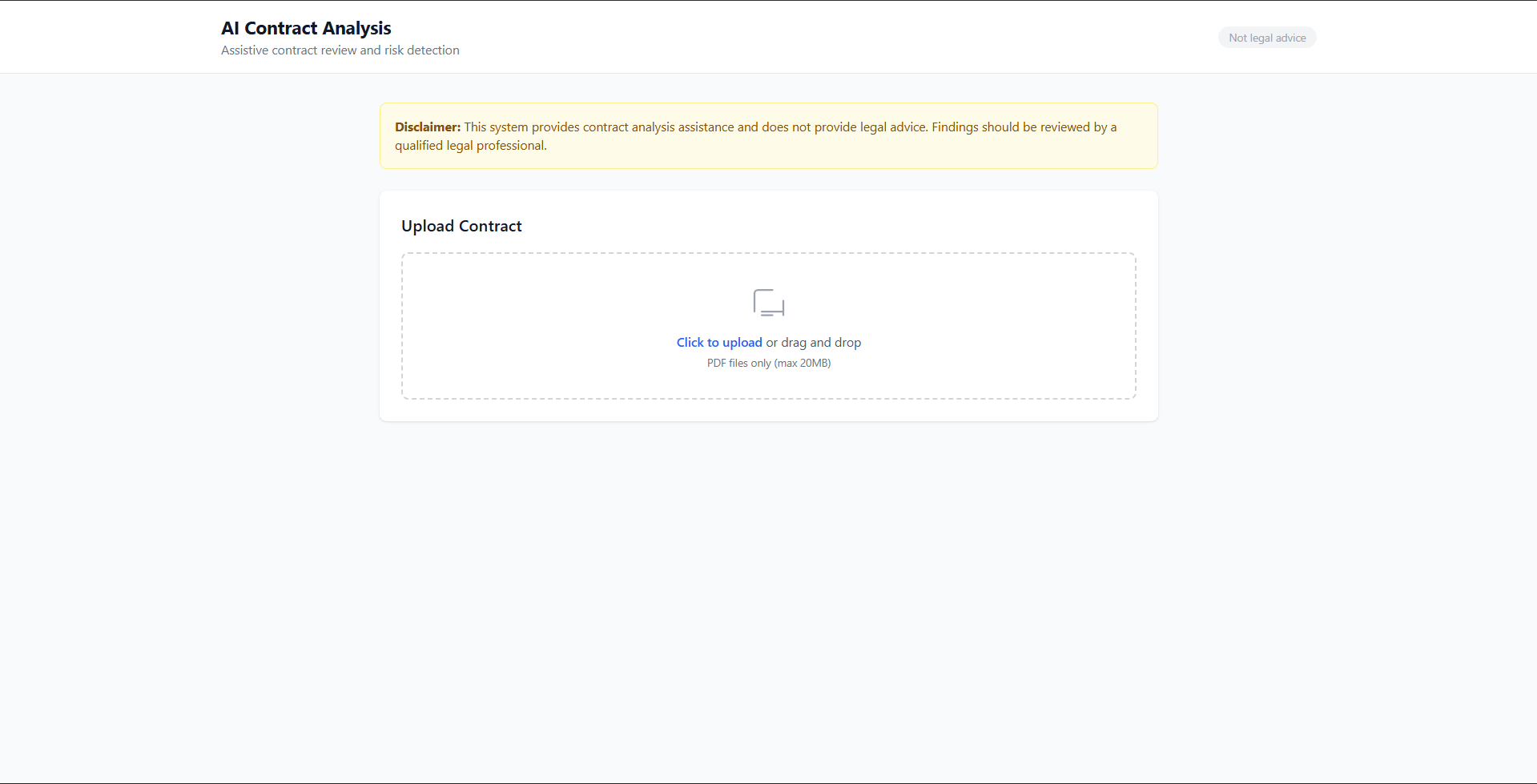
AI Contract Analysis & Risk Detection
Faster document review with traceable evidence — upload a contract and get risk findings with source-verified citations.
naman · Engineering Portfolio
View case study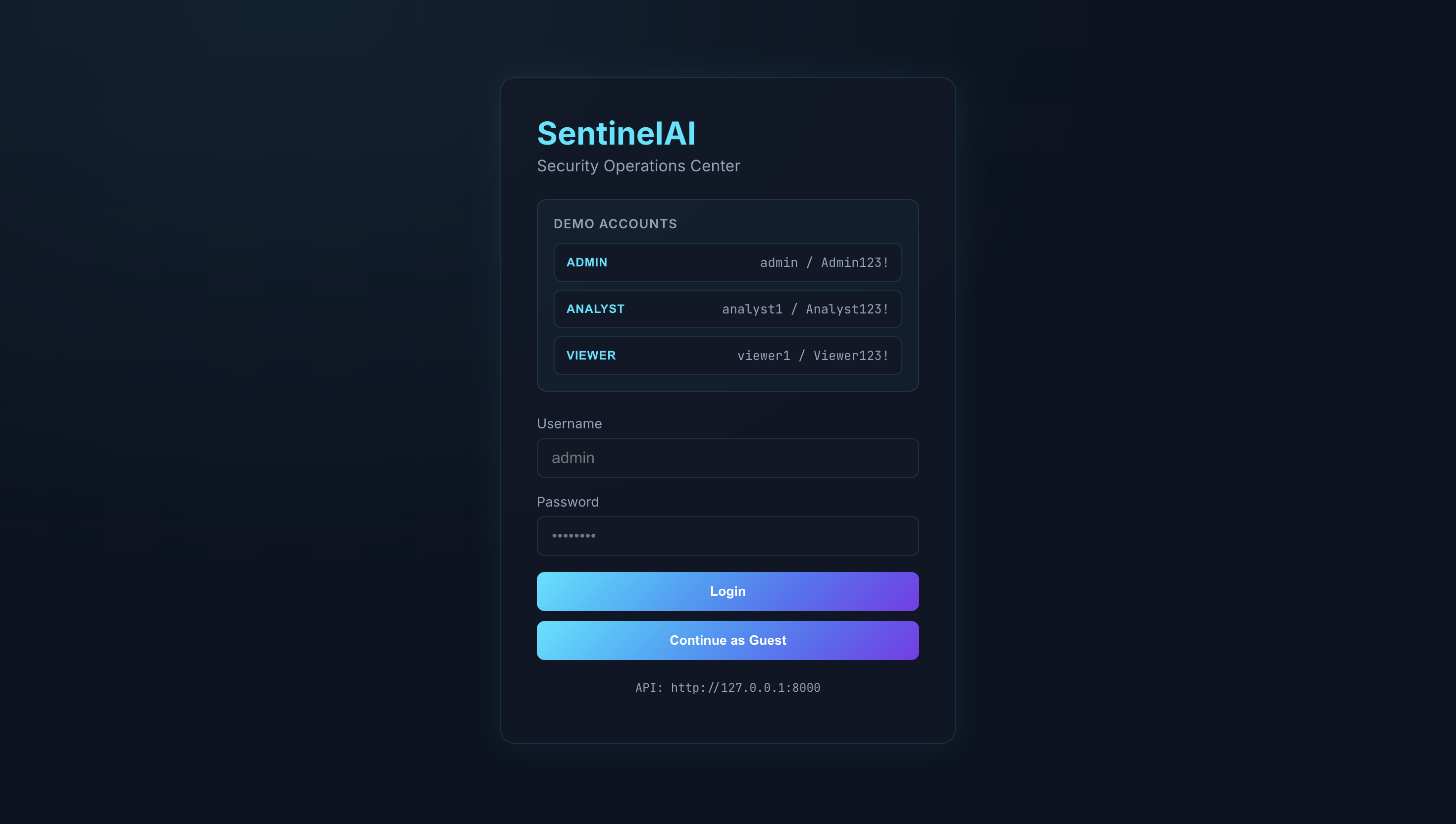
SentinelAI — Security Log Anomaly Detection
Risk-scored alerts from security events — a full-stack Mini-SIEM with ML detection, attack-chain correlation and explainable alerts.
pragna · Engineering Portfolio
View case study
AI Data Analyst & Business Intelligence Agent
Evidence-grounded business intelligence from spreadsheets — upload CSV/XLSX, get analysis, visualizations and explained answers.
priyanka · Engineering Portfolio
View case study